ContentLib Folder Names
ContentLib requires you to place your JSON files in specific folders. This helps you keep your files organized and allows ContentLib to determine what to do with them.
To see the full list of supported directories, check your logs after going to the ContentLib mod configs screen in-game. To enable logging, see this official docs page.
Folder Layout
Packed with Mod
If you’re writing scripts to be shipped with a mod,
or using the example skeleton provided by the tutorial,
these are the supported folder names, assuming your mod reference is ModReferenceGoesHere.
Make sure you see the tutorial about how to ensure these files are packaged correctly to be included with your mod.
Mods/ModReferenceGoesHere/ContentLib/Items/
Mods/ModReferenceGoesHere/ContentLib/Icons/
Mods/ModReferenceGoesHere/ContentLib/Recipes/
Mods/ModReferenceGoesHere/ContentLib/RecipePatches/
Mods/ModReferenceGoesHere/ContentLib/ItemPatches/
Mods/ModReferenceGoesHere/ContentLib/Schematics/
Mods/ModReferenceGoesHere/ContentLib/SchematicPatches/
Mods/ModReferenceGoesHere/ContentLib/VisualKits/
Mods/ModReferenceGoesHere/ContentLib/CDOs/
For example, if your game was installed in the folder
D:\Programs\EpicGamesGames\SatisfactoryExperimental\
then the folder path to the ContentLib Items folder within your mod should be
D:\Programs\EpicGamesGames\SatisfactoryExperimental\FactoryGame\Mods\YourModReference\ContentLib\Items

Configs Folder
When outside of a specific mod’s folders,
the ContentLib folder tree should be placed within your Mod Configs folder,
for example, <game install directory>/Configs/ContentLib/Items
Note that ContentLib does not create these folders for you - you will have to create new empty folders in the correct location if you want to use them.
If you’re writing scripts to go in your configs folder, these are the supported folder names:
Configs/ContentLib/Items/
Configs/ContentLib/Icons/
Configs/ContentLib/Recipes/
Configs/ContentLib/RecipePatches/
Configs/ContentLib/ItemPatches/
Configs/ContentLib/Schematics/
Configs/ContentLib/SchematicPatches/
Configs/ContentLib/VisualKits/
Configs/ContentLib/CDOs/
For example, if your game was installed in the folder
D:\Programs\EpicGamesGames\SatisfactoryExperimental\
then the folder path to the ContentLib Items folder should be
D:\Programs\EpicGamesGames\SatisfactoryExperimental\FactoryGame\Configs\ContentLib\Items
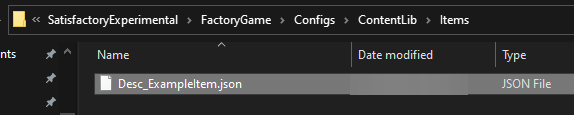
Folder Nesting
As long as your JSON files are within the correct content-type directory as mentioned above, you are allowed to create sub-folders to further organize your files.
For example, the following folder structure is valid:
-
Mods/ModReferenceGoesHere/ContentLib/Items/Solids/Desc_CoolItem.json -
Mods/ModReferenceGoesHere/ContentLib/Items/Gases/Desc_NitrogenGas.json -
Mods/ModReferenceGoesHere/ContentLib/Items/Liquids/Desc_LiquidPropene.json
ContentLib does not enforce any limit on the number of levels of sub-directories, but it’s probably possible to have problems with Unreal asset path length limits if you start using a ton of levels.