Starting a Modular Reactor
How to Start the reactors
Reactor Foundation UI
The first step is to make sure the Reactor Foundation is connected to the power grid with at least 100 MW. Make sure its connected to a power pole and NOT a power storage.
Open the Reactor Foundation UI in game, you will see 5 slots, each slot represents a reactor in the stack.
Slide the slider on each reactor slot to 25% making sure that the WHITE line on the slider aligns with 25%
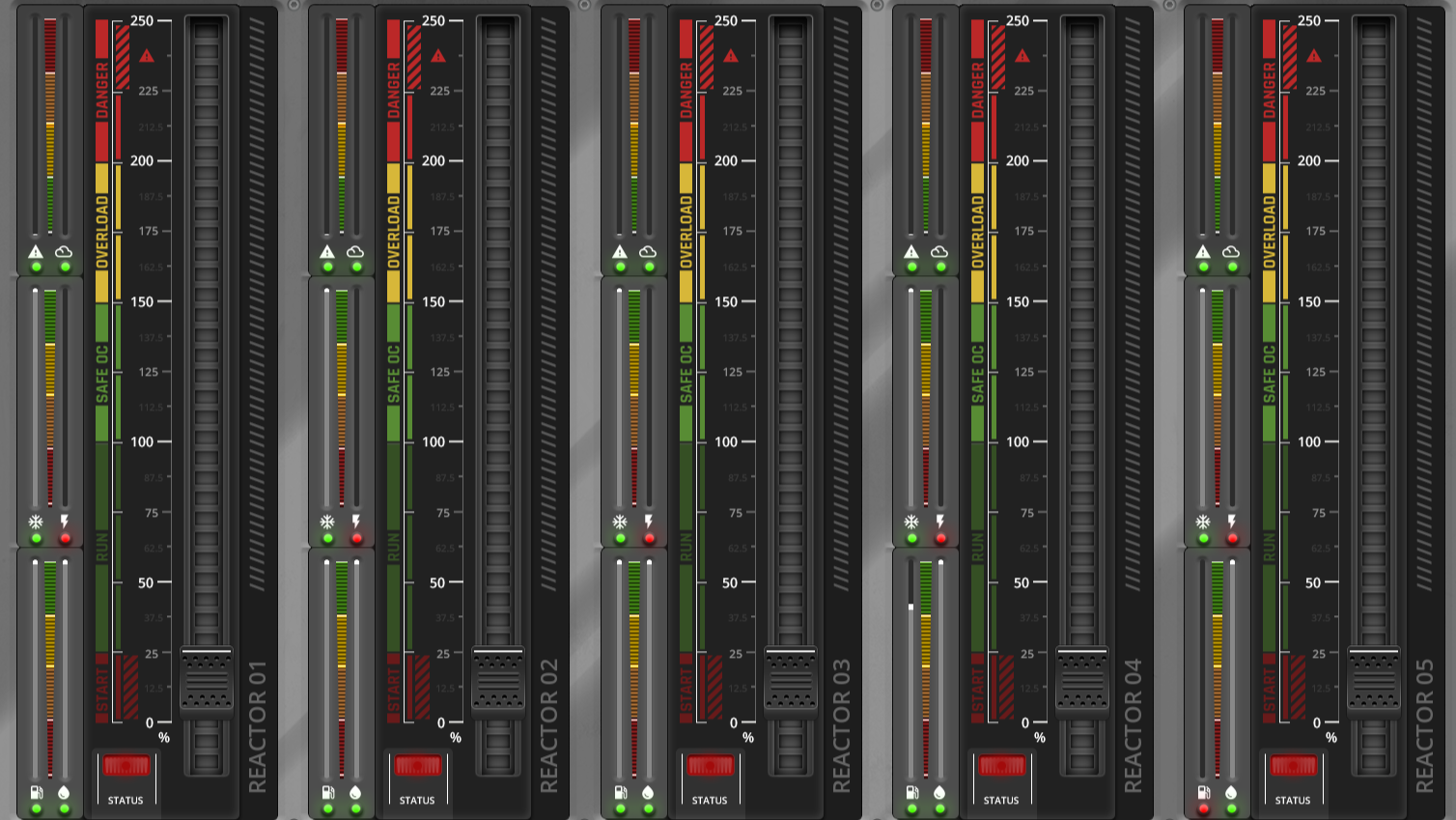
Reactor Support Ring UI
Management Tab
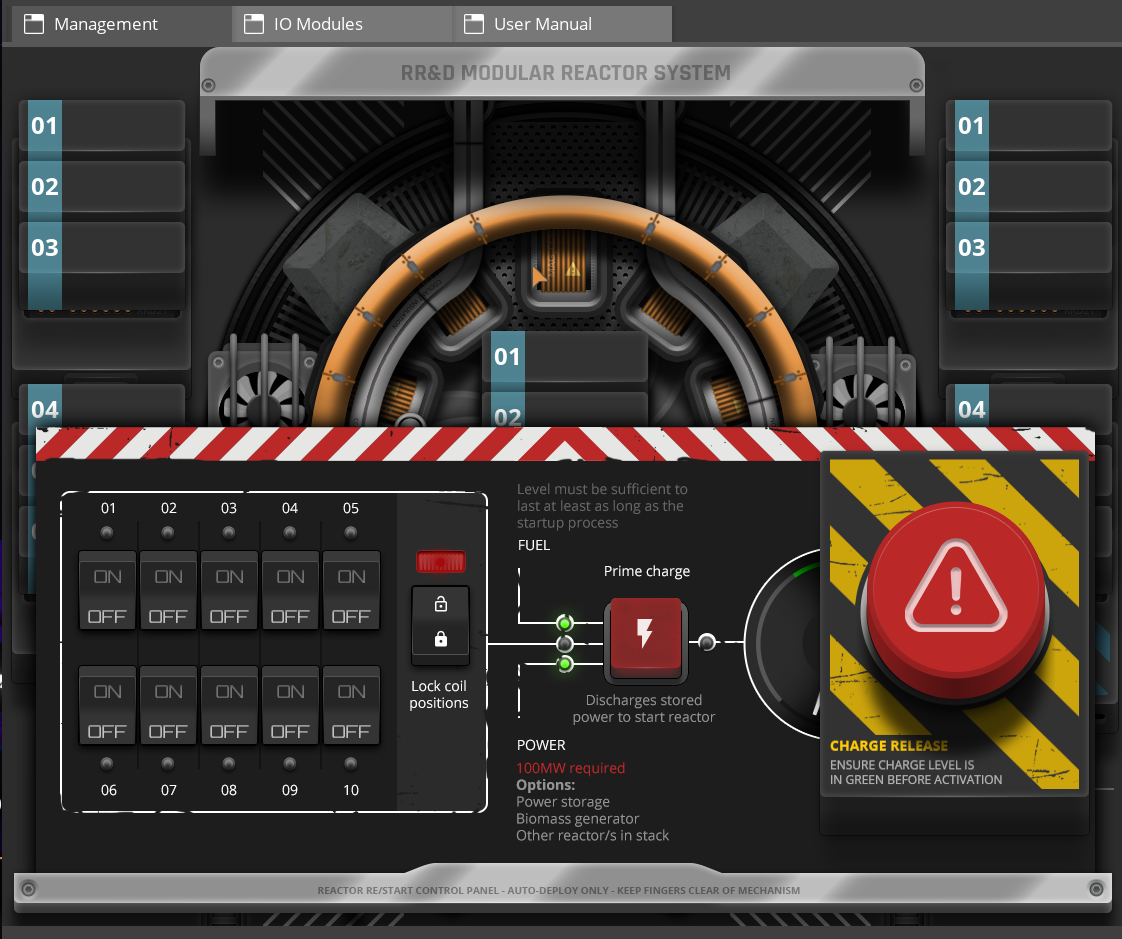
Once that’s set you can open the Reactor Support Ring UI in game.
If the reactor is Offline, you will see the Reactor Control panel at the bottom of the UI. Click the toggle switches for each Reactor Chamber ( You will hear a locking sound effect for each Reactor Chamber ).
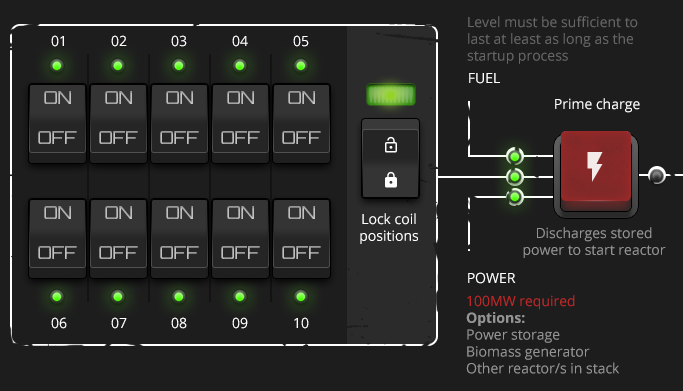
Once all the Chambers are locked and are showing a green light above each toggle switch. You can then toggle the Lock All toggle switch. You will see the middle light show green when all reactor chambers are locked. ( Please see below ).
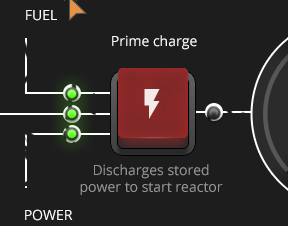
In the middle of the Control Panel you will see three lights, this is the order they represent:
-
Top: Fuel Level is greater then required to start
-
Middle: Locked Reactor Chambers
-
Bottom: Power grid is greater than 100 MW
You can now switch to the IO Modules Tab in the UI.
IO Modules Tab
Select if the Reactor is to produce Power, Steam or Both using the toggle switches on the right of this Tab.
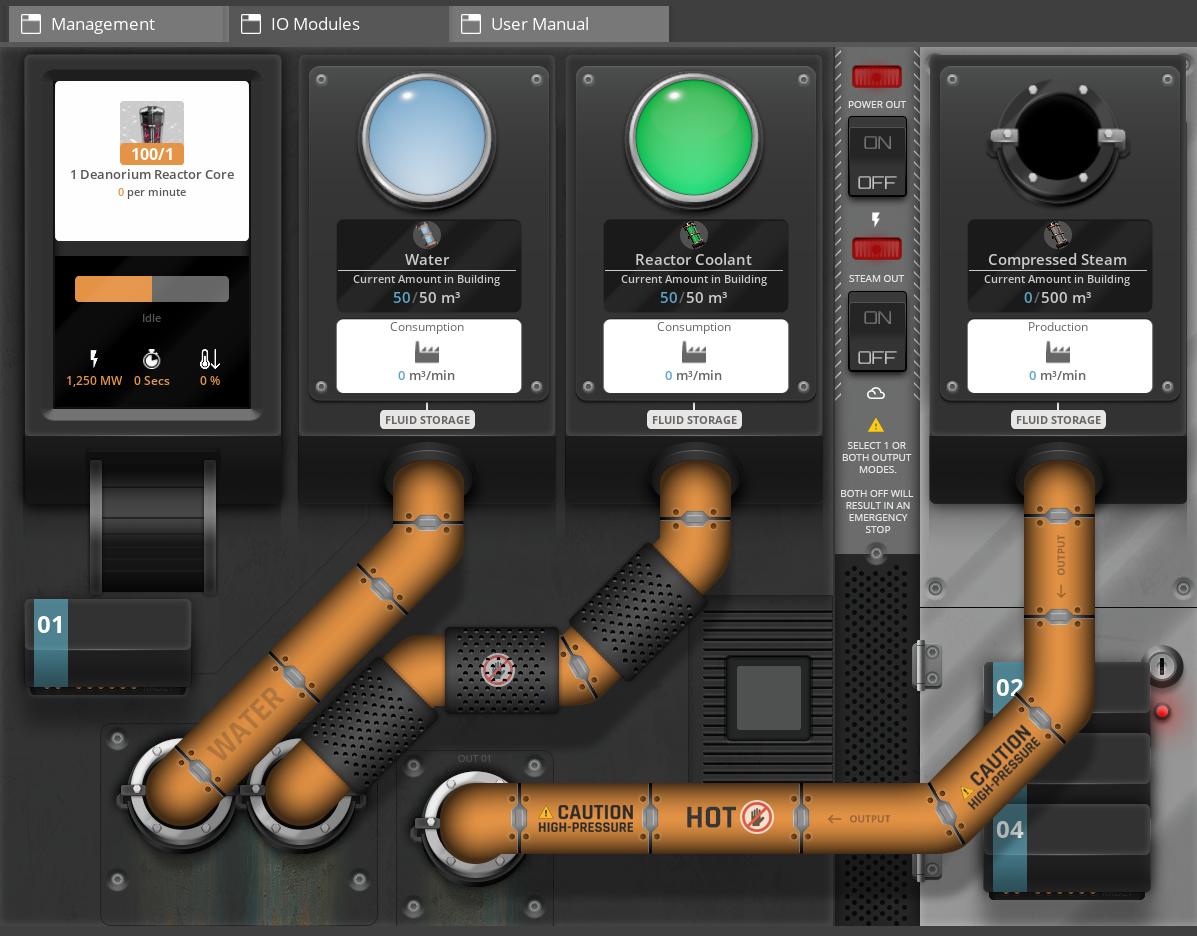
|
At least one of these toggle switches is REQUIRED |
Manual Feed
If you have just unlocked the Modular Reactors you will see only one module in this tab. You can manually place Advanced Reactor Cores and Packaged Water into the inventory slot.
Auto Feed
To enable Automatic item feed from conveyor belts / pipes you will need to unlock the Reactor IO Attachment within the MAM. Once unlocked place the Reactor IO attachment to the Reactor Support Ring.
You will then need to follow the research tree in the MAM to allow you to feed Water and Reactor Coolant into the reactors.
You can now switch back to the Management Tab.
Management Tab
Once all three lights are green, you can now press and hold the Prime Charge button.
This will Charge the reactor indicated by the gauge on the right under the big red button. When the gauge is in the green section, the light to the right of the Prime Charge button will be green.
Once all lights are green you’re ready to press the Big Red Charge Release button.
|
If you press the Charge Release button and nothing happens then you have missed a step. |